Skip to content
Liftr
  • Home
  • Tools
  • Compare
Download
  • Home
  • Tools
  • Compare

Bring out the athlete in you

Your own personal coach. Wherever you go.

Download on the App Store

Track your workouts, and let Coach help with the rest

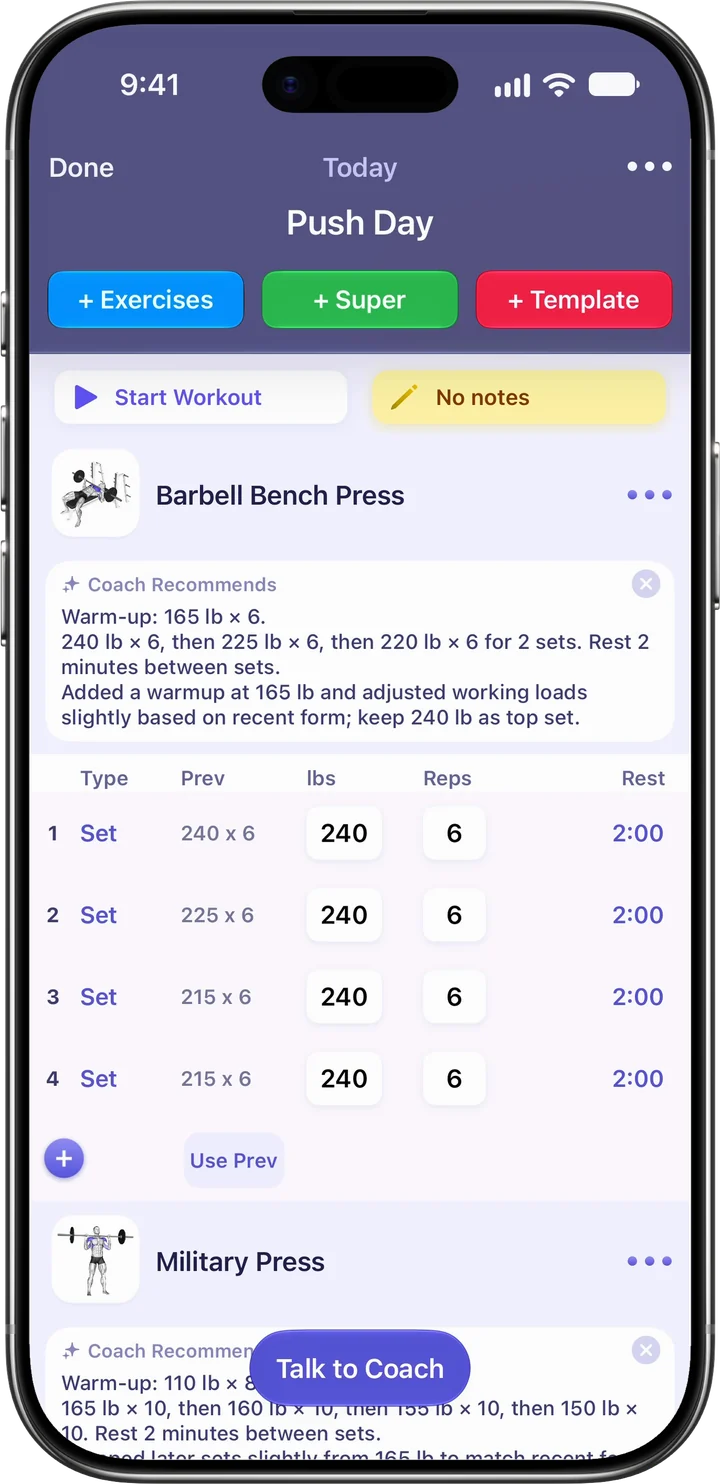
A Push Day workout in Liftr: Barbell Bench Press with a Coach Recommends note for the warm-up and working sets, above four sets with previous weights and reps
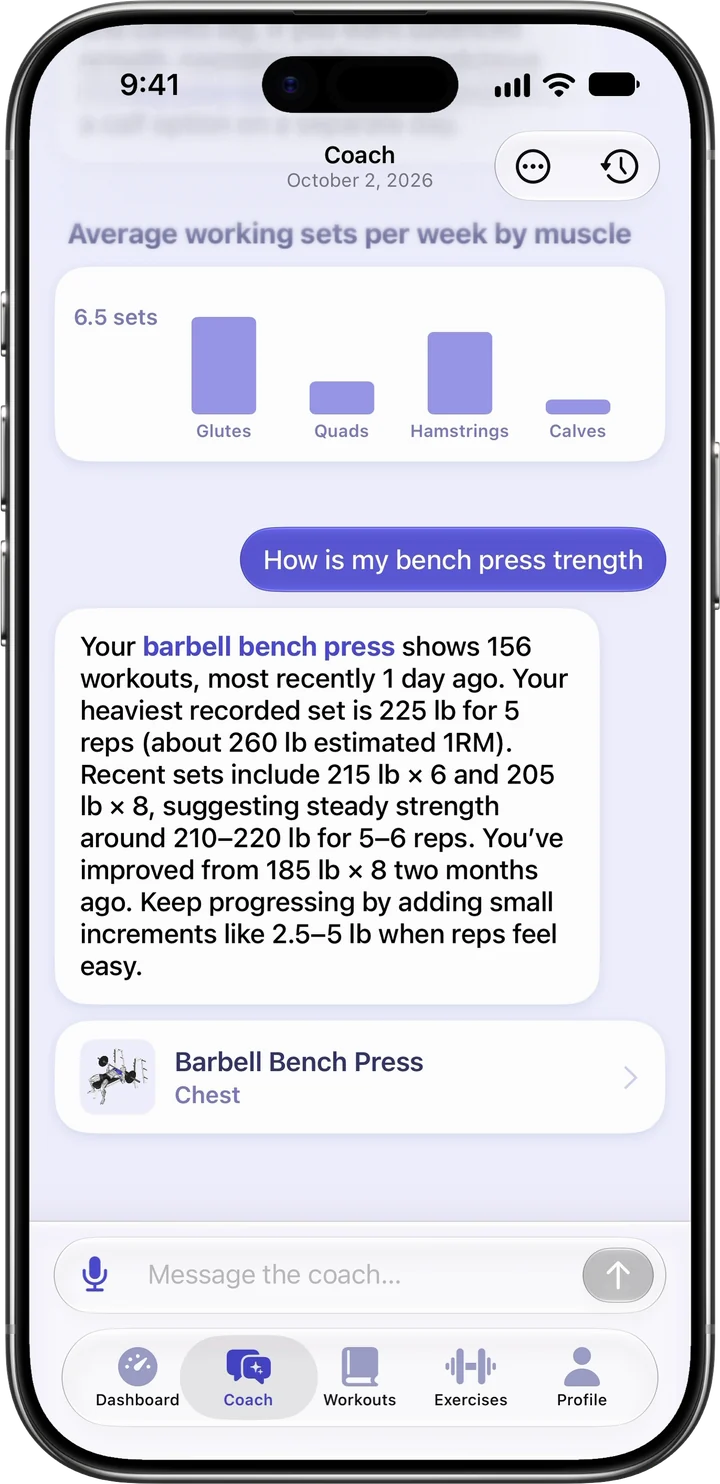
Asked about bench press strength, Liftr Coach answers that the barbell bench press shows 156 workouts, most recently a day ago, with a heaviest set of 225 lb for 5 reps, below a chart of average working sets per week by muscle
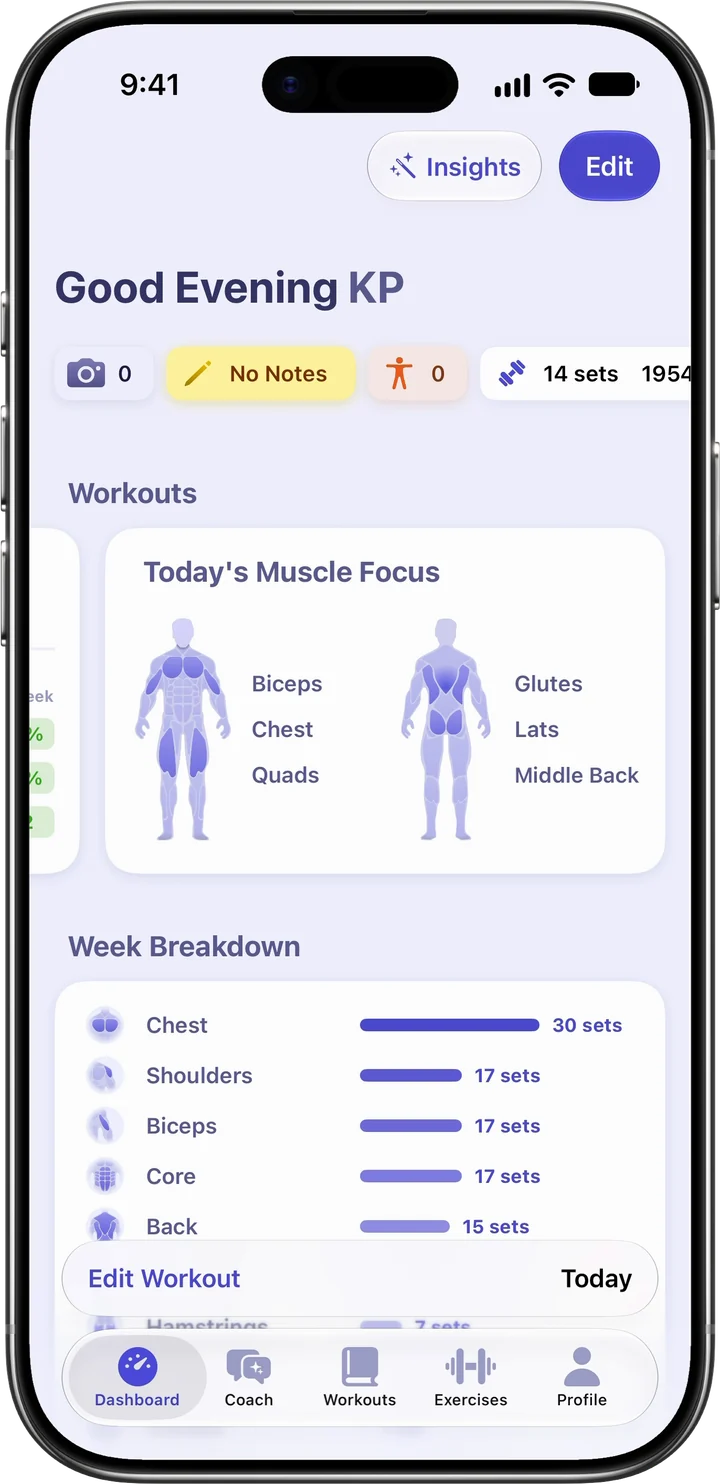
The Liftr dashboard: today’s muscle focus on biceps, chest, quads, glutes, lats and middle back, above the week’s sets by muscle group
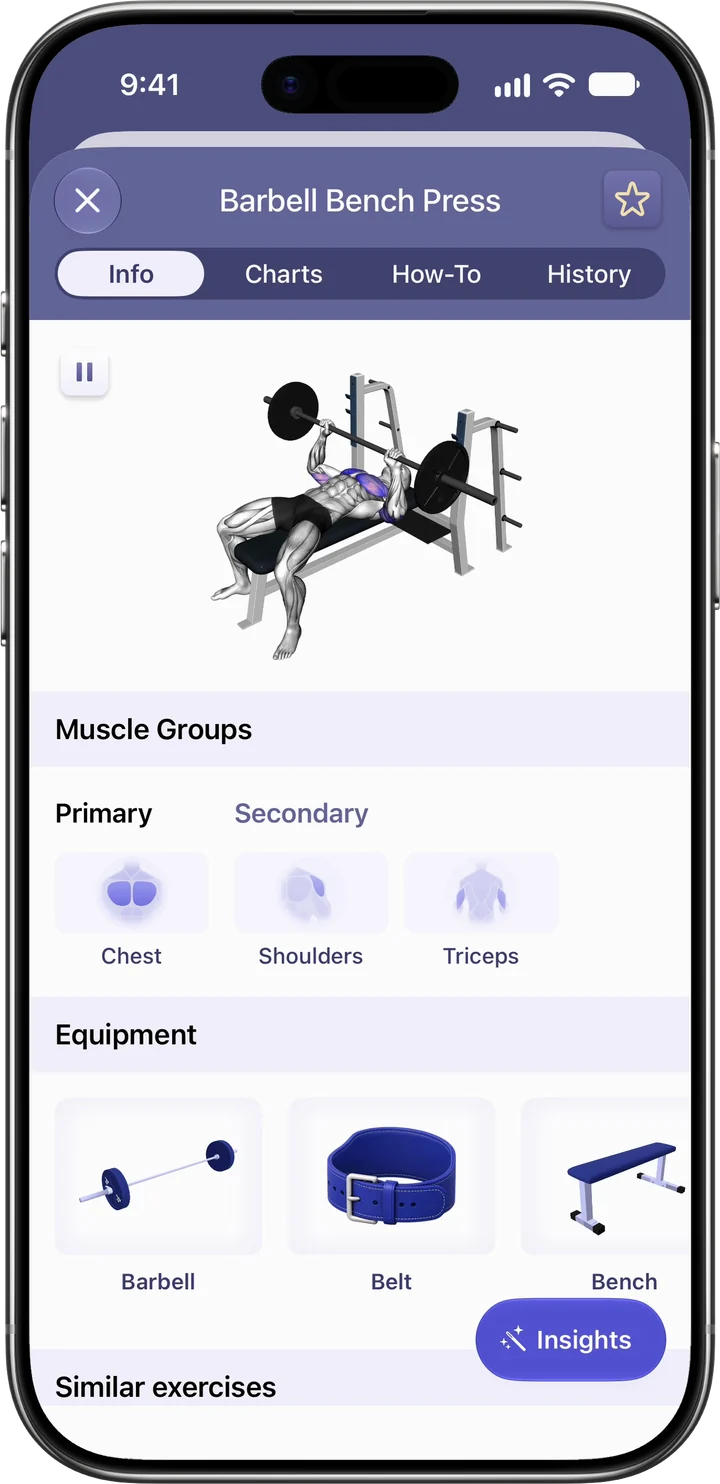
Barbell Bench Press in Liftr: a 3D demonstration, chest as the primary muscle, triceps and shoulders as secondary, and the equipment it needs
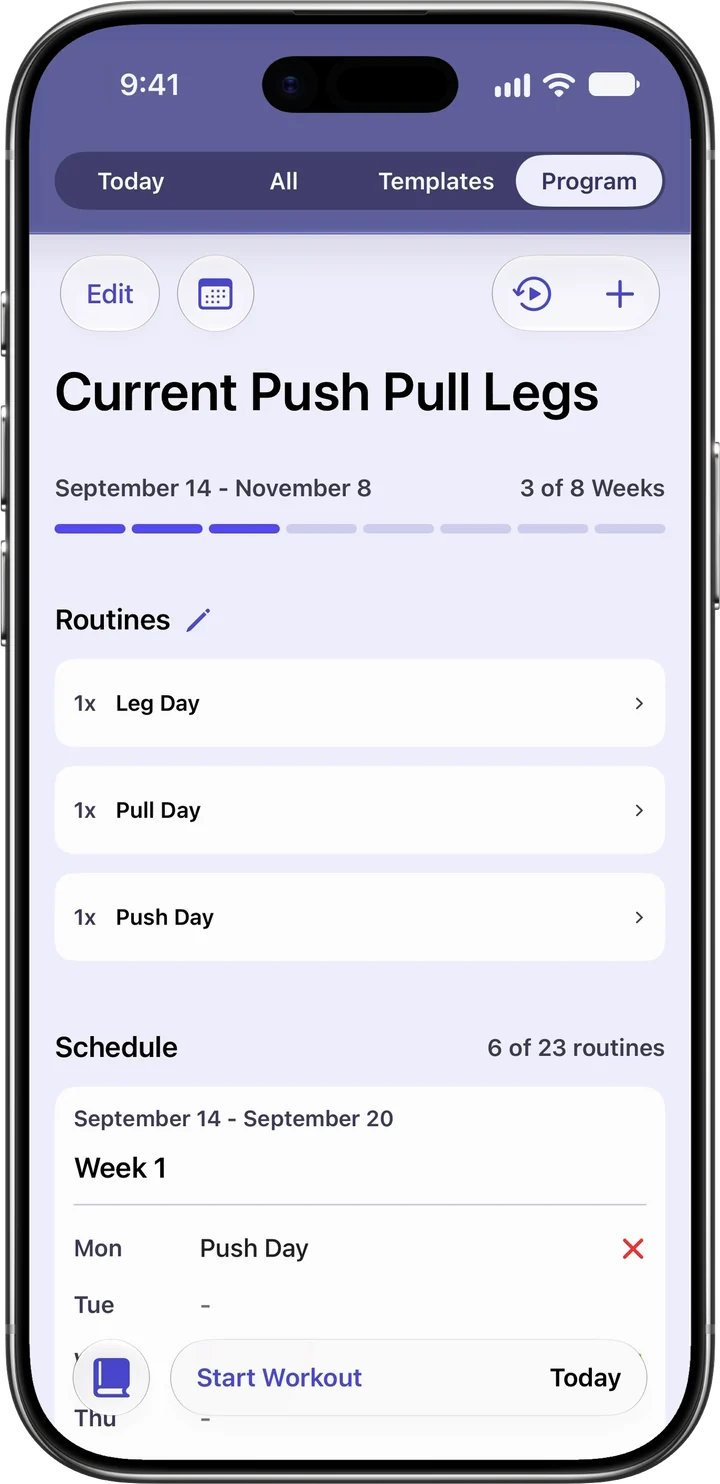
Liftr program screen: Current Push Pull Legs, week 3 of 8, with Leg Day, Pull Day and Push Day routines
  1. Easy tracking. Intelligent coaching.

    Manage your workouts and log exercises with just a few taps. Or just ask Coach to do something for you.

  2. A coach that knows your training.

    Coach learns who you are, provides useful recommendations, answers your questions, and can even create full workouts and custom programs that are just right for you.

  3. Your own personal dashboard.

    Track the metrics that matter most, and keep tabs on your favourite exercises, muscle groups, and health & fitness stats. Coach also provides intelligent insights without you having to ask.

  4. Never guess your training.

    Liftr includes a library of over 500 exercises with demonstrations and instructions. You can also build your perfect gym with support for over 40 different pieces of equipment.

  5. Workout programs have never been so clear.

    Easily create and manage the perfect workout program for your needs. Browse from a gallery of programs and custom routines, ask Liftr Coach, or do it manually, whatever fits best!

Your own personal dashboard.

Your very own coach, right in your pocket.
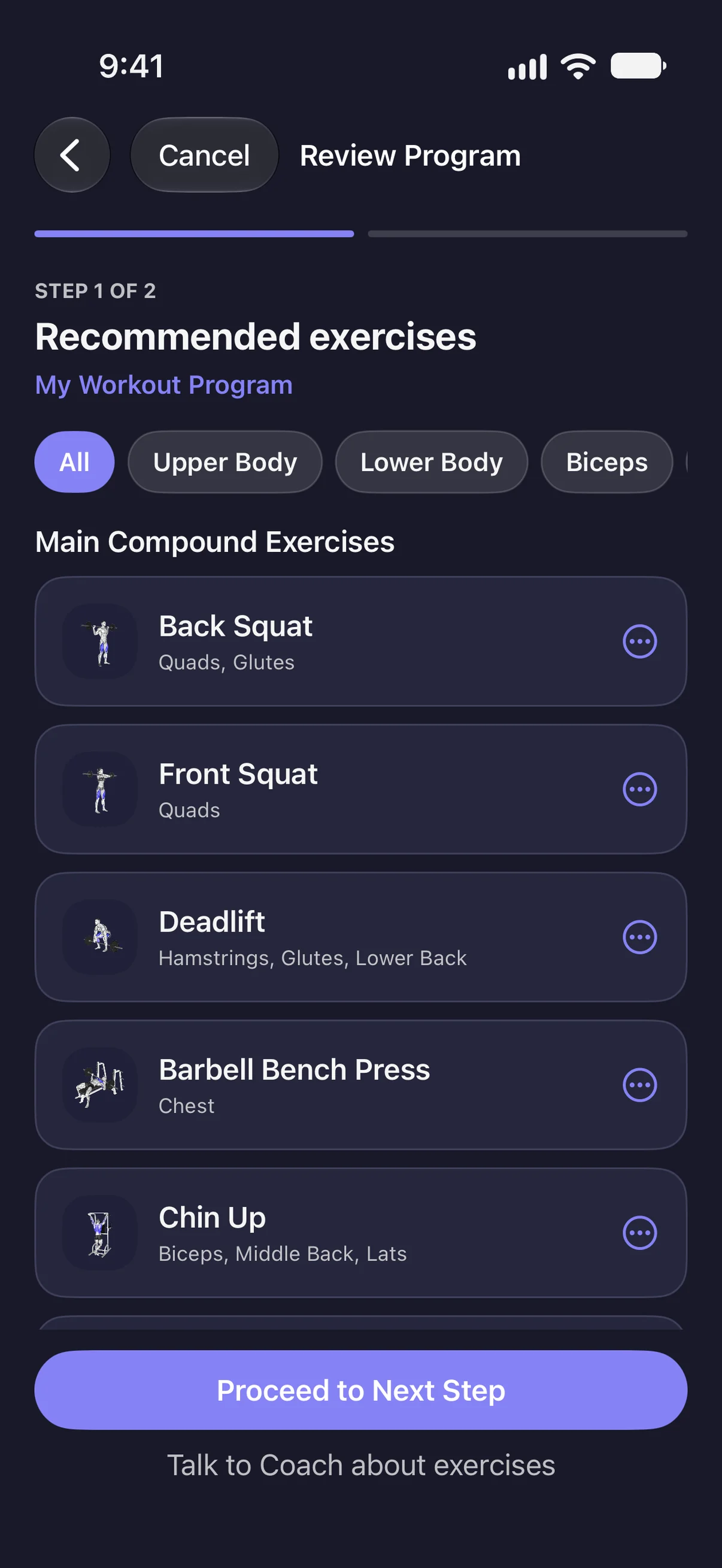
  • Program Builder's review, step 1 of 2: recommended exercises for My Workout Program, starting with Back Squat, Front Squat, Deadlift, Barbell Bench Press and Chin Up, each with its muscles

    Create custom programs. Coach can take all of your considerations and build the perfect program for you.
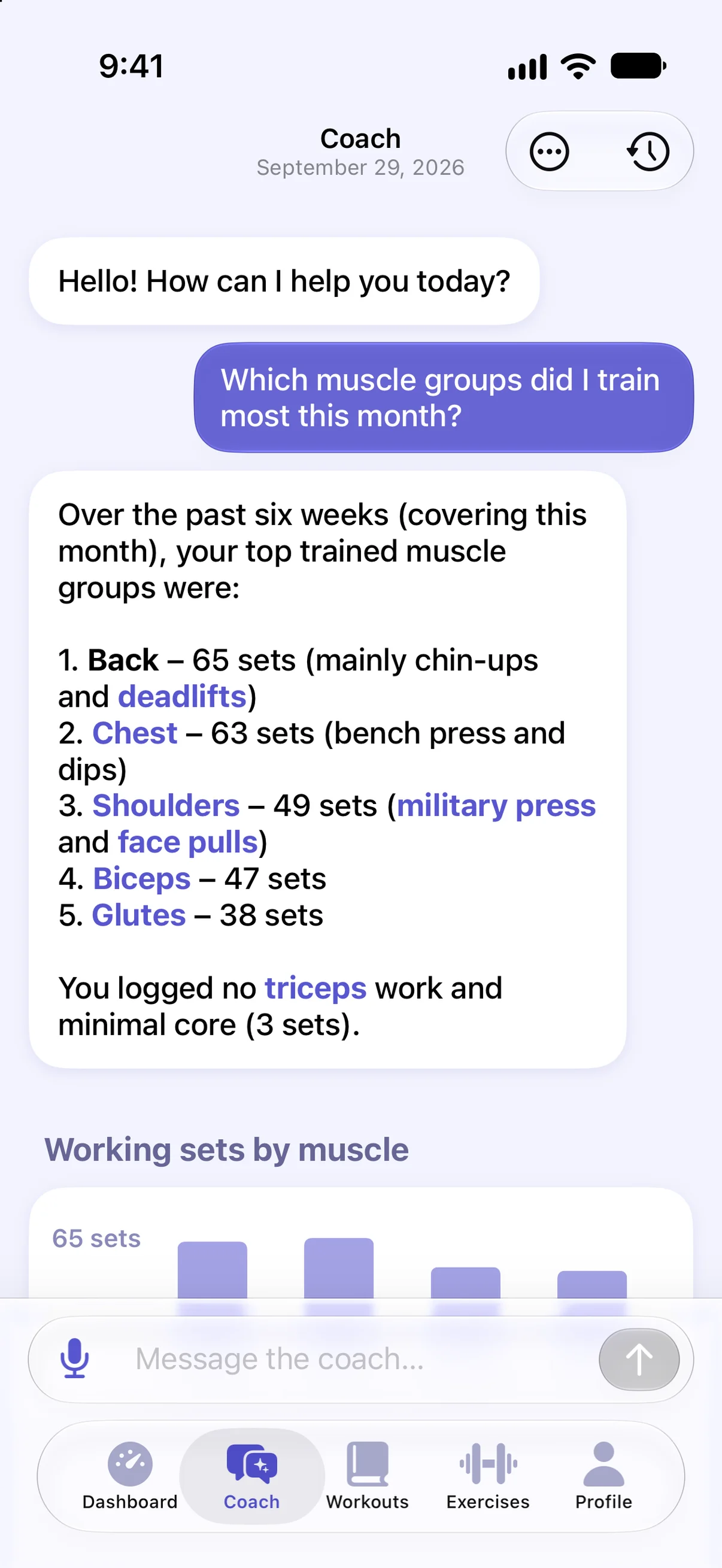
  • Liftr Coach answering which muscle groups were trained most this month, listing back, chest, shoulders, biceps and glutes, above a chart of working sets by muscle

    Ask anything. Coach can answer your training questions, review your history, and even take action for you.
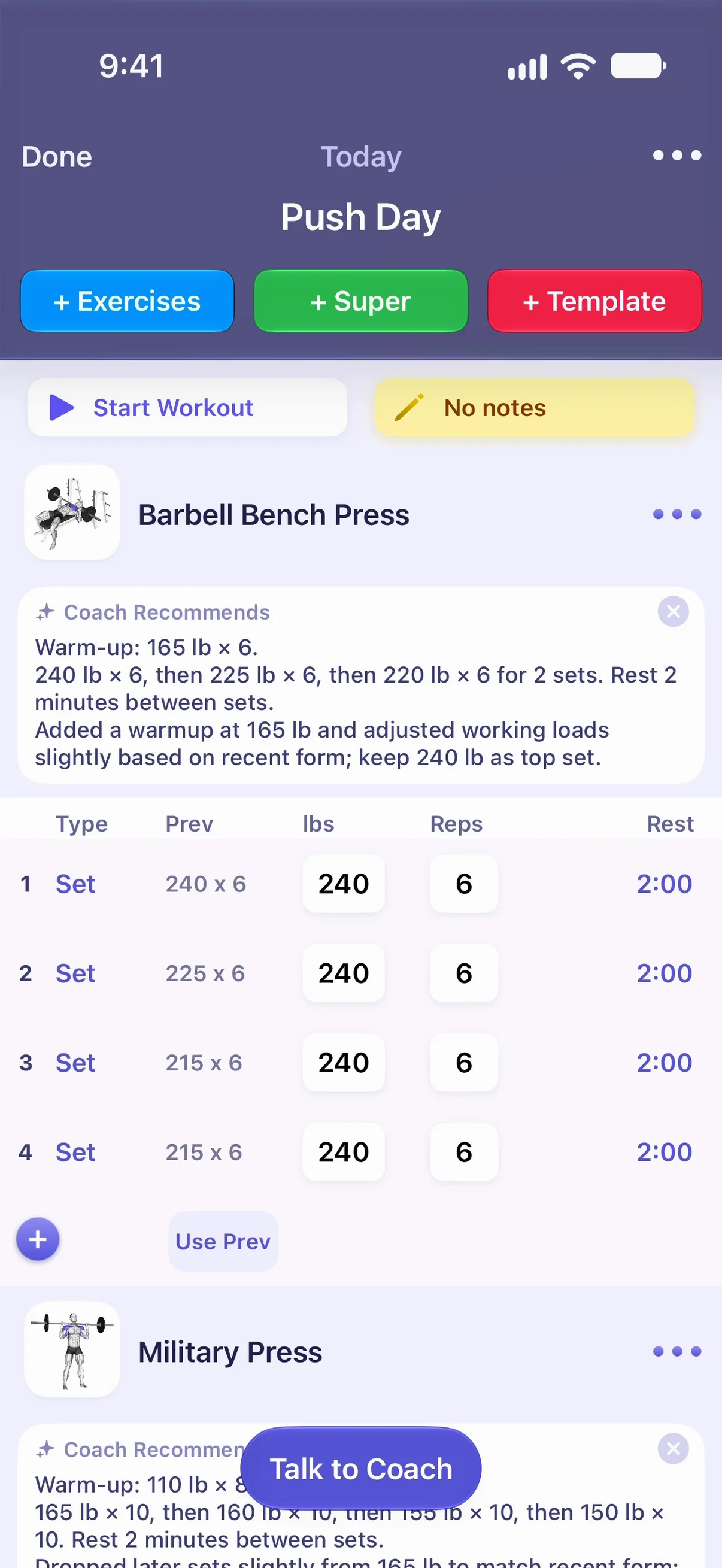
  • A Push Day workout in Liftr with a Coach Recommends note for Barbell Bench Press: a warm-up at 165 lb, then working sets, above the sets with previous weights and reps, and a Talk to Coach button

    Recommendations. Coach can provide dynamic suggestions for your next workout, including how much to try and lift.
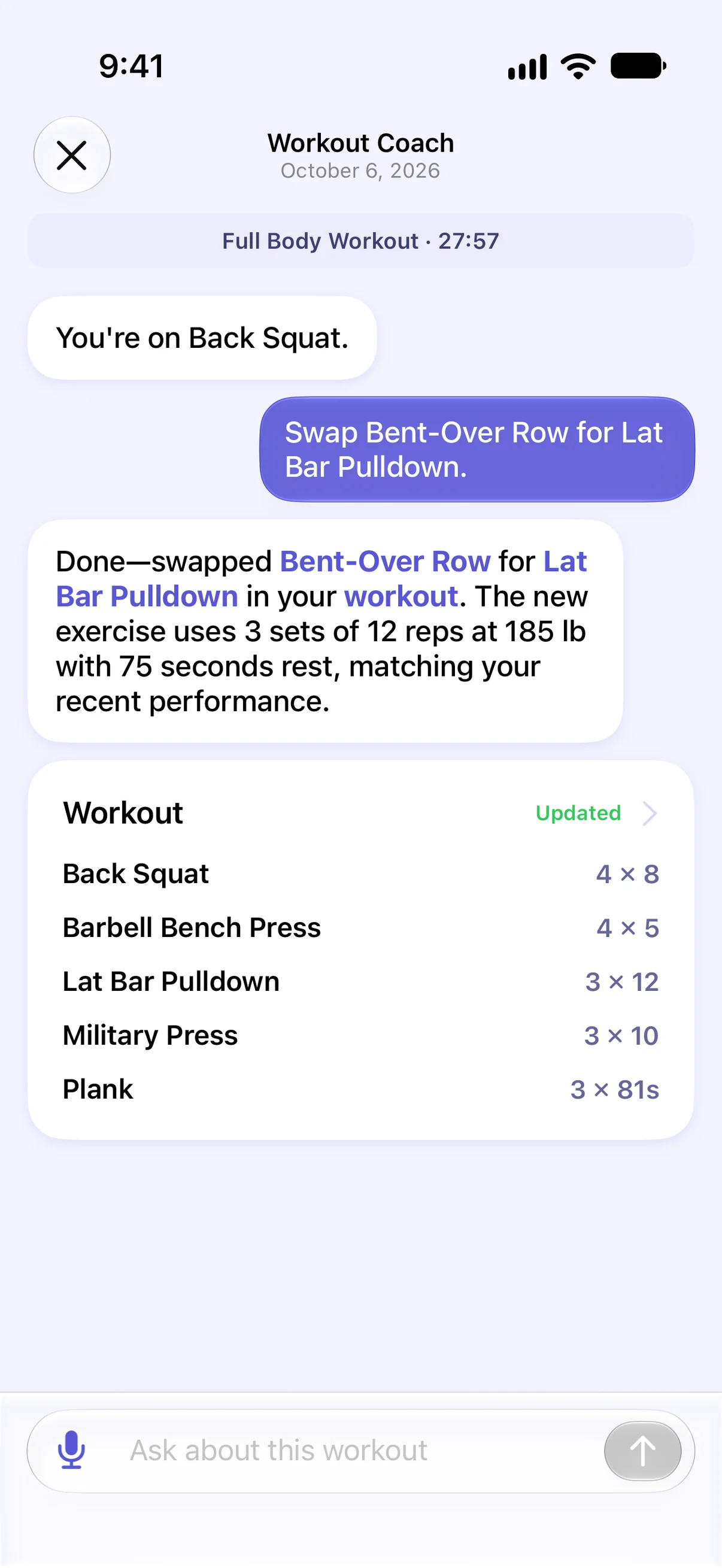
  • Talking to Liftr Coach during a workout: asked to swap Bent-Over Row for Lat Bar Pulldown, Coach makes the swap at 3 sets of 12 reps at 185 lb and shows the updated workout

    Available when you need Coach the most. Create your next workout with Coach, or talk anytime mid-workout to ask questions or modify your workout.

Full workouts, right on your wrist.

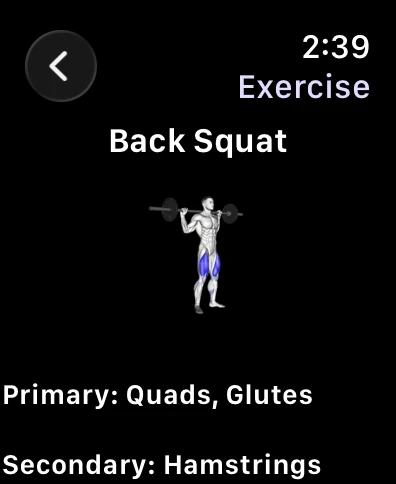
  • Liftr on Apple Watch showing Back Squat with its primary and secondary muscles

    View your library. Watch includes all of your exercises, including instructions, without having to reach for your phone.
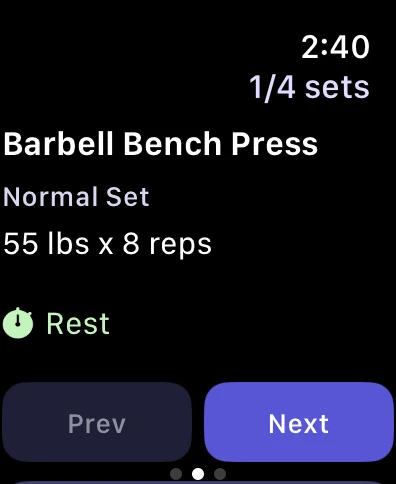
  • Liftr on Apple Watch logging Barbell Bench Press: normal set, 55 lb for 8 reps, with Prev and Next buttons

    Log everything. You can manage your entire workout on Apple Watch.
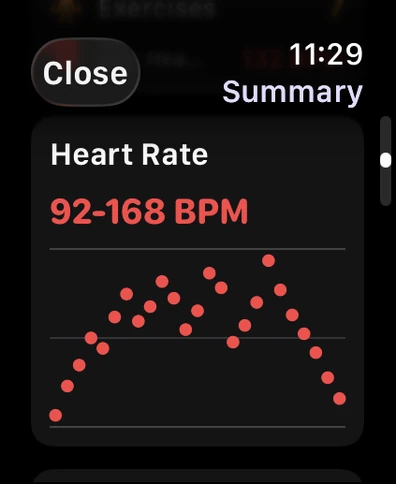
  • Liftr's workout summary on Apple Watch: heart rate from 92 to 168 BPM, with a graph across the workout

    Get your stats, stat. Track your calories, heart rate, and more right from your wrist.

Useful features, always in reach.

  • A full library. Liftr includes over 500 exercise demonstrations so that you always know how to lift properly.
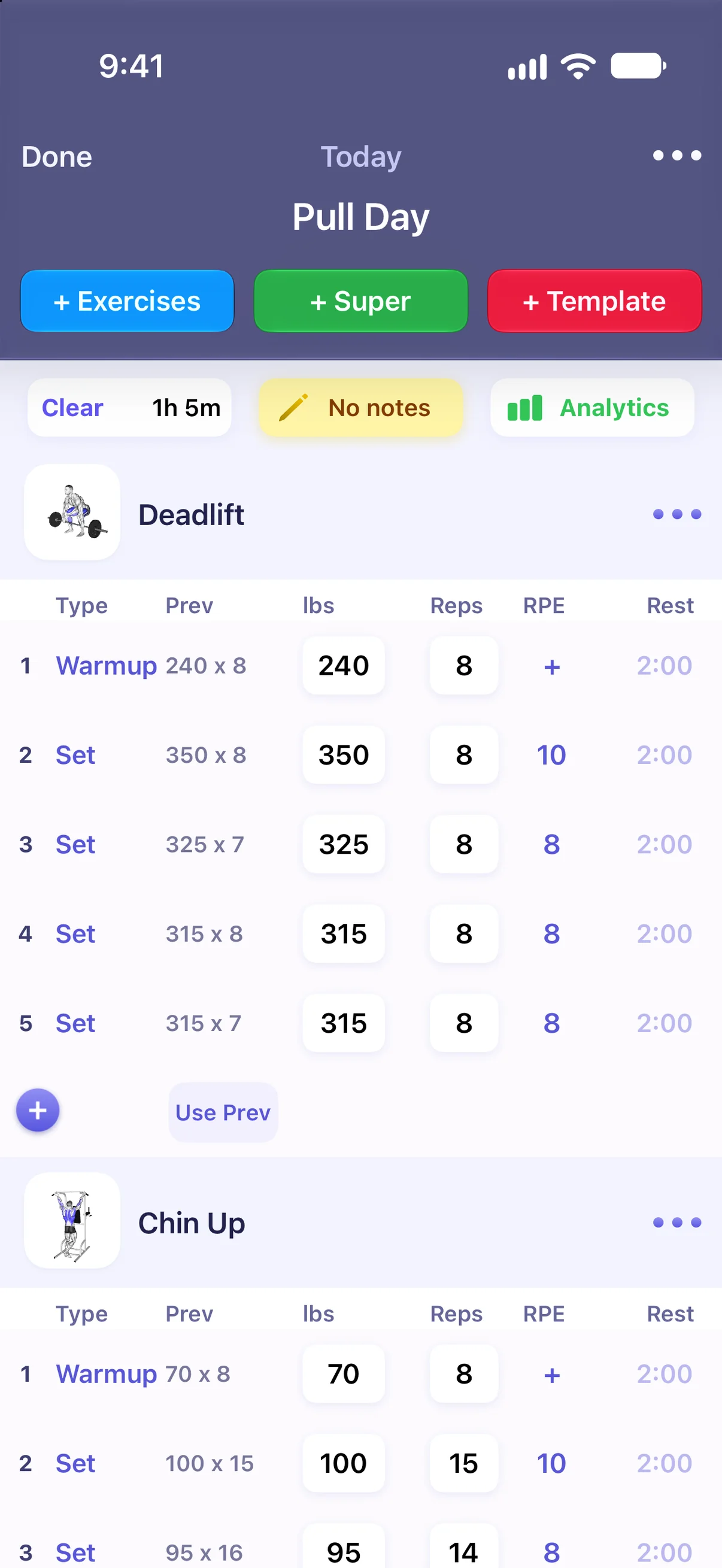
  • Logging a Pull Day workout in Liftr: Deadlift and Chin Up sets with previous weights, reps, RPE and rest

    The best workout tracking, period. View everything you need, and adjust with a tap.
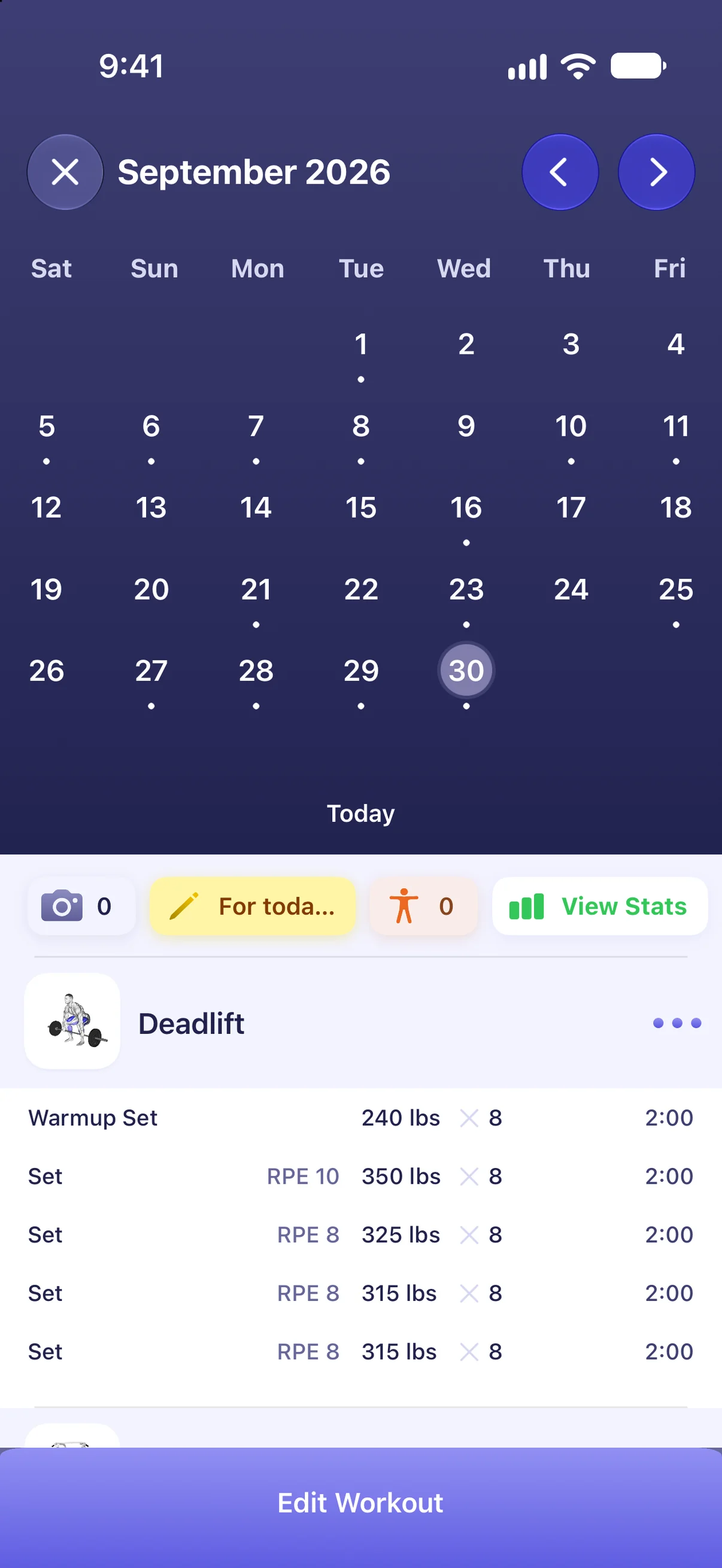
  • Liftr workout calendar for September 2026, with a Deadlift workout below it

    Your training, on the calendar. See every workout you have done and what is planned next.
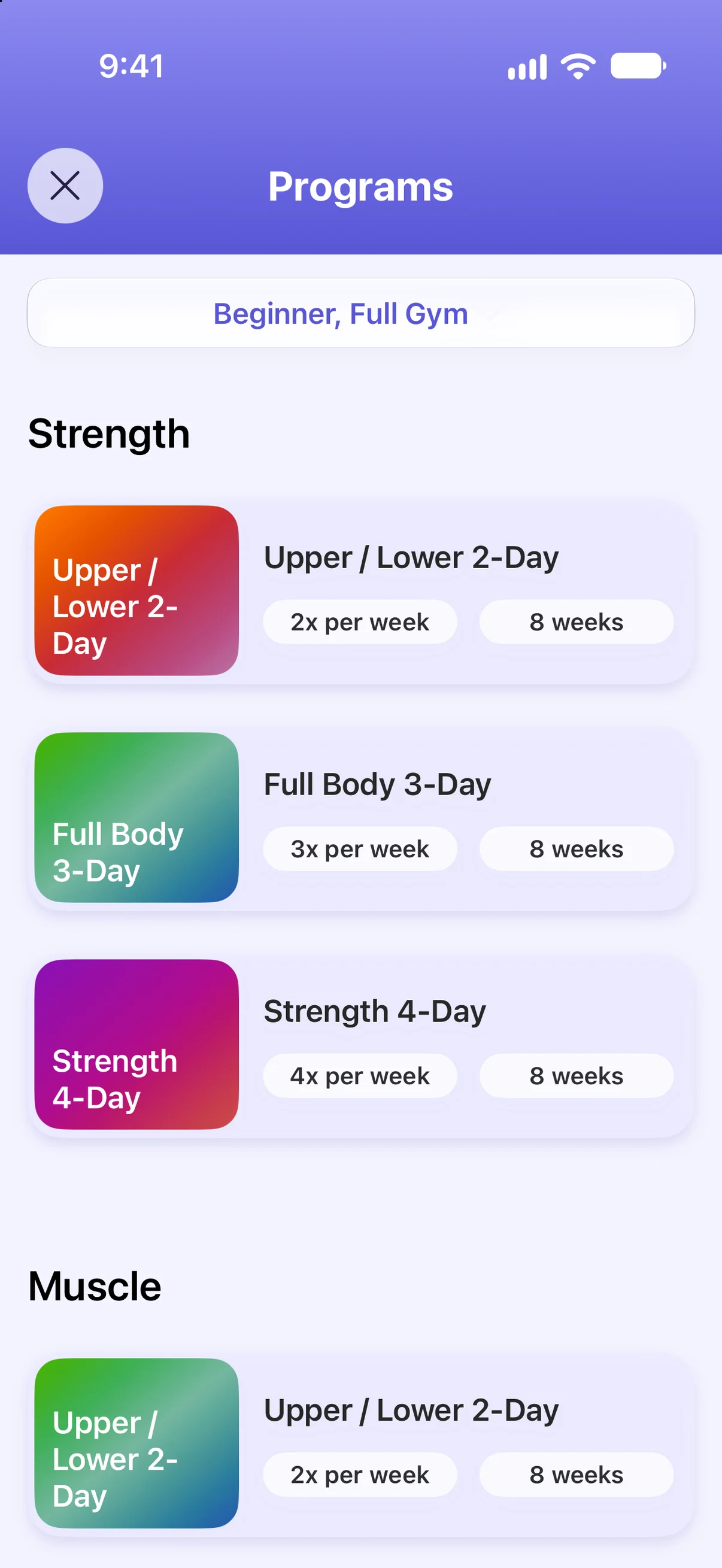
  • Liftr program gallery for a beginner with a full gym: Strength programs Upper / Lower 2-Day, Full Body 3-Day and Strength 4-Day, each eight weeks

    Workout programs. Browse from popular programs, or create your own.
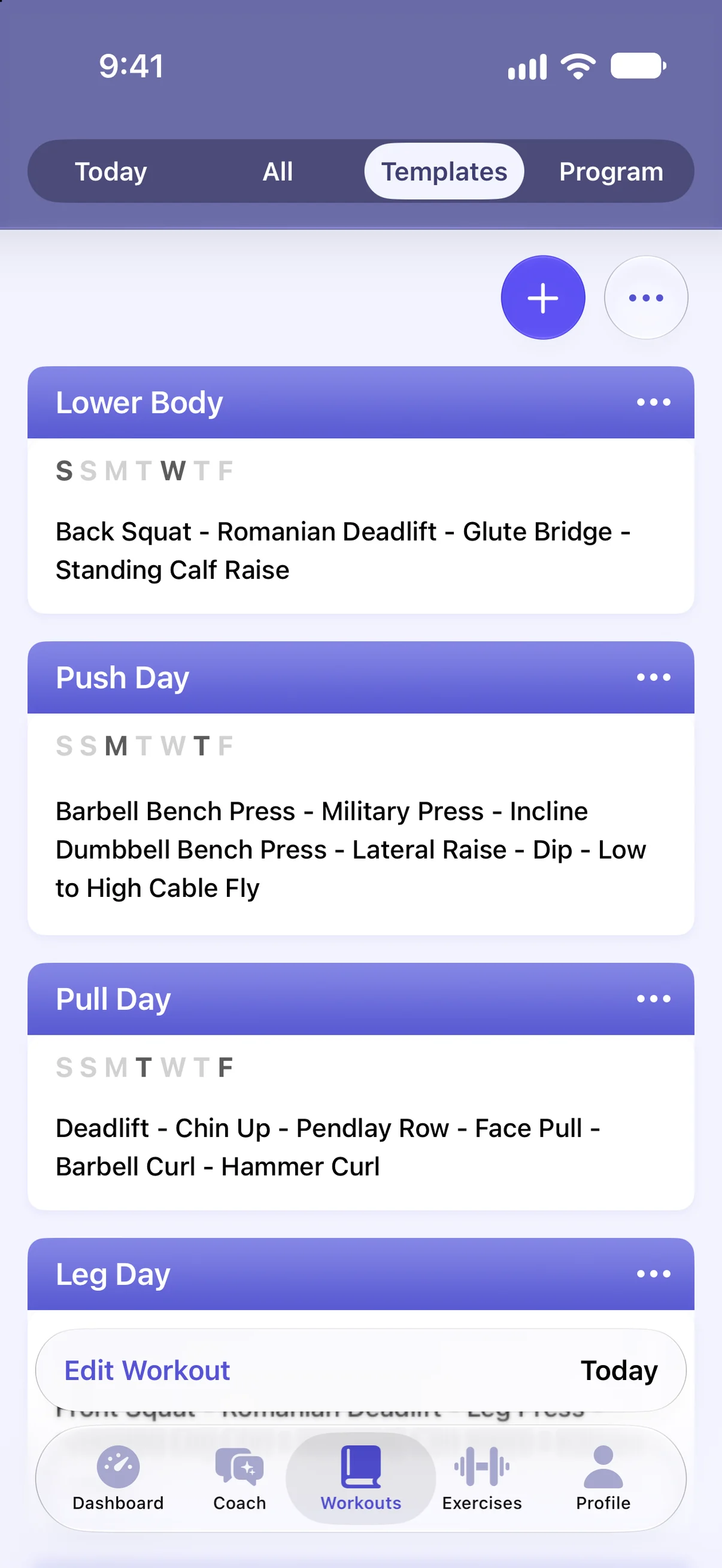
  • Liftr templates: Lower Body, Push Day, Pull Day and Leg Day, each with its exercises and the days it is scheduled

    Templates for your usual sessions. Keep Push Day, Leg Day and the rest ready to start in a tap.
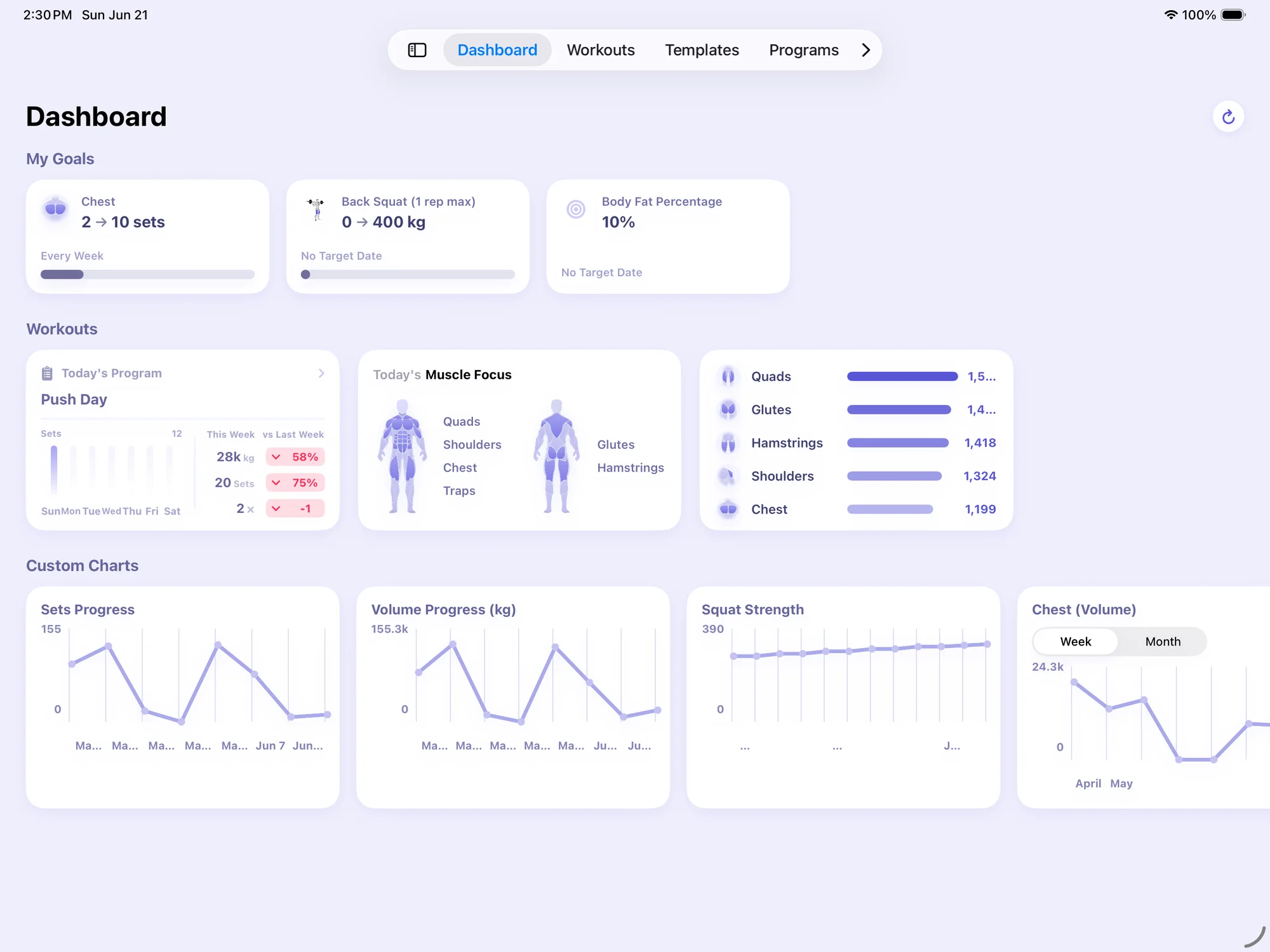
  • Liftr iPad dashboard with goals, workouts and custom charts

    A bigger canvas. See all of your most important details, all at once. Right from iPad.

Integrated throughout the OS.
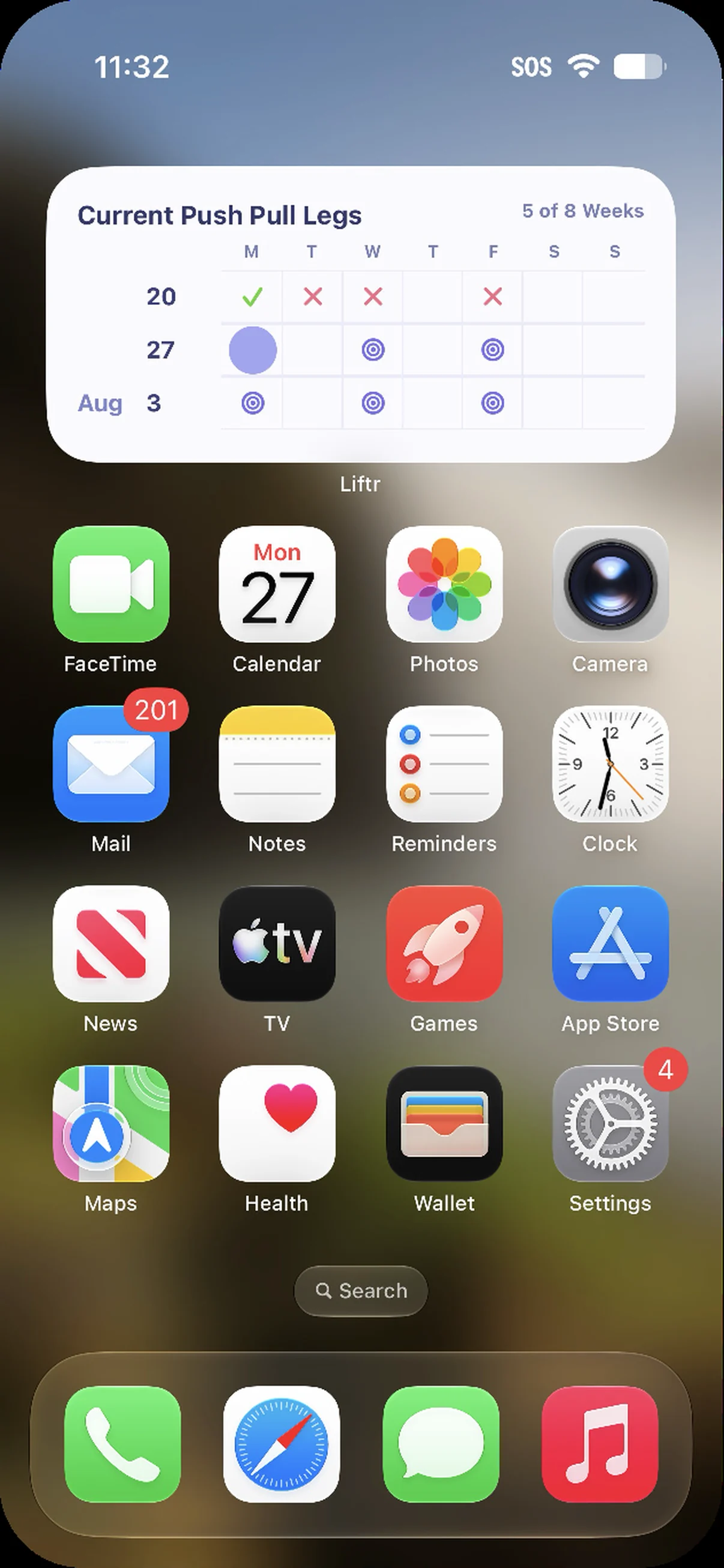
  • iPhone Home Screen with Liftr's program widget for Current Push Pull Legs, week 5 of 8, showing completed and planned days

    See your workouts right from your Home Screen. Liftr includes widgets for your workout programs, goals, and more.
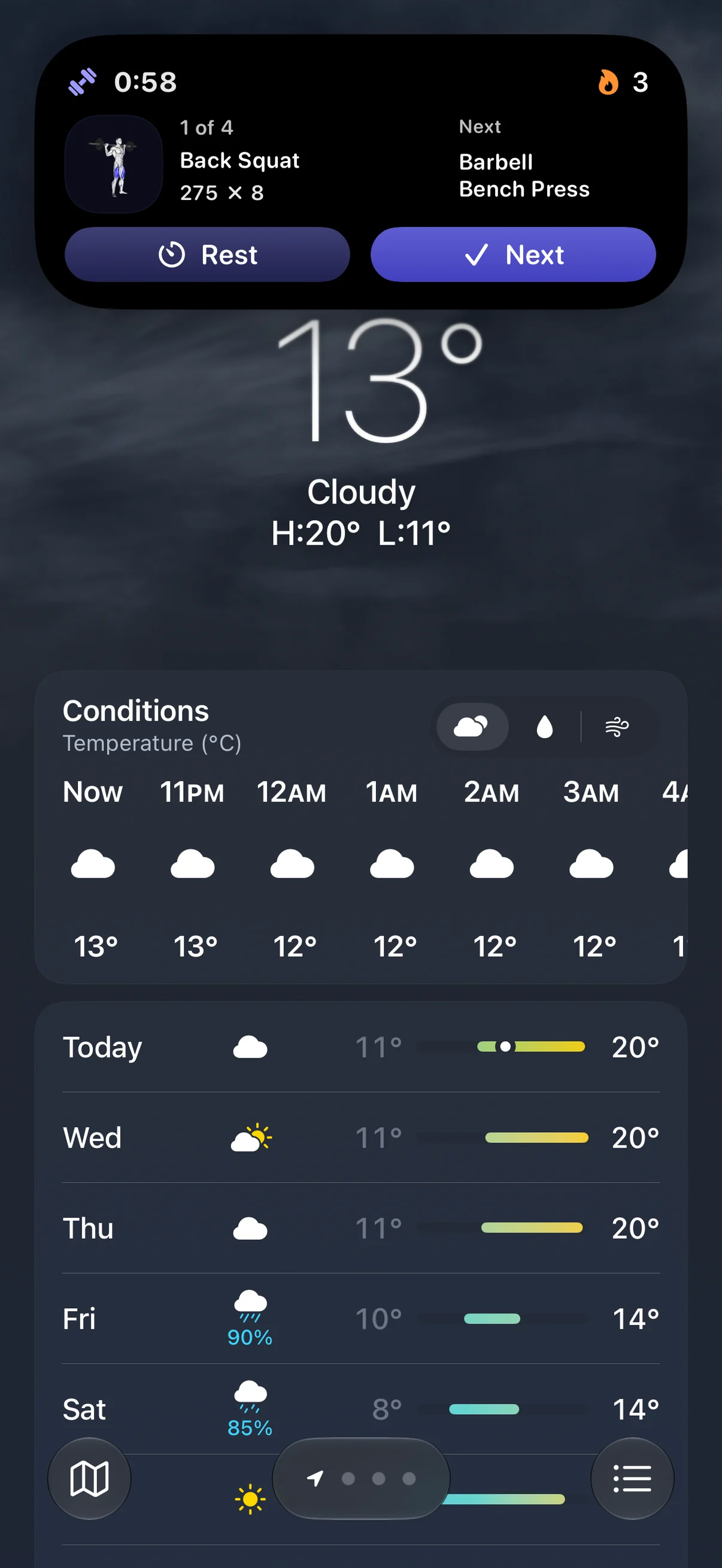
  • Liftr's Live Activity expanded at the top of an iPhone: 1 of 4, Back Squat, 275 × 8, next Barbell Bench Press, with Rest and Next buttons

    Track your workout, no matter where you are. Liftr supports Live Activities for your workout from anywhere, including your Lock Screen.
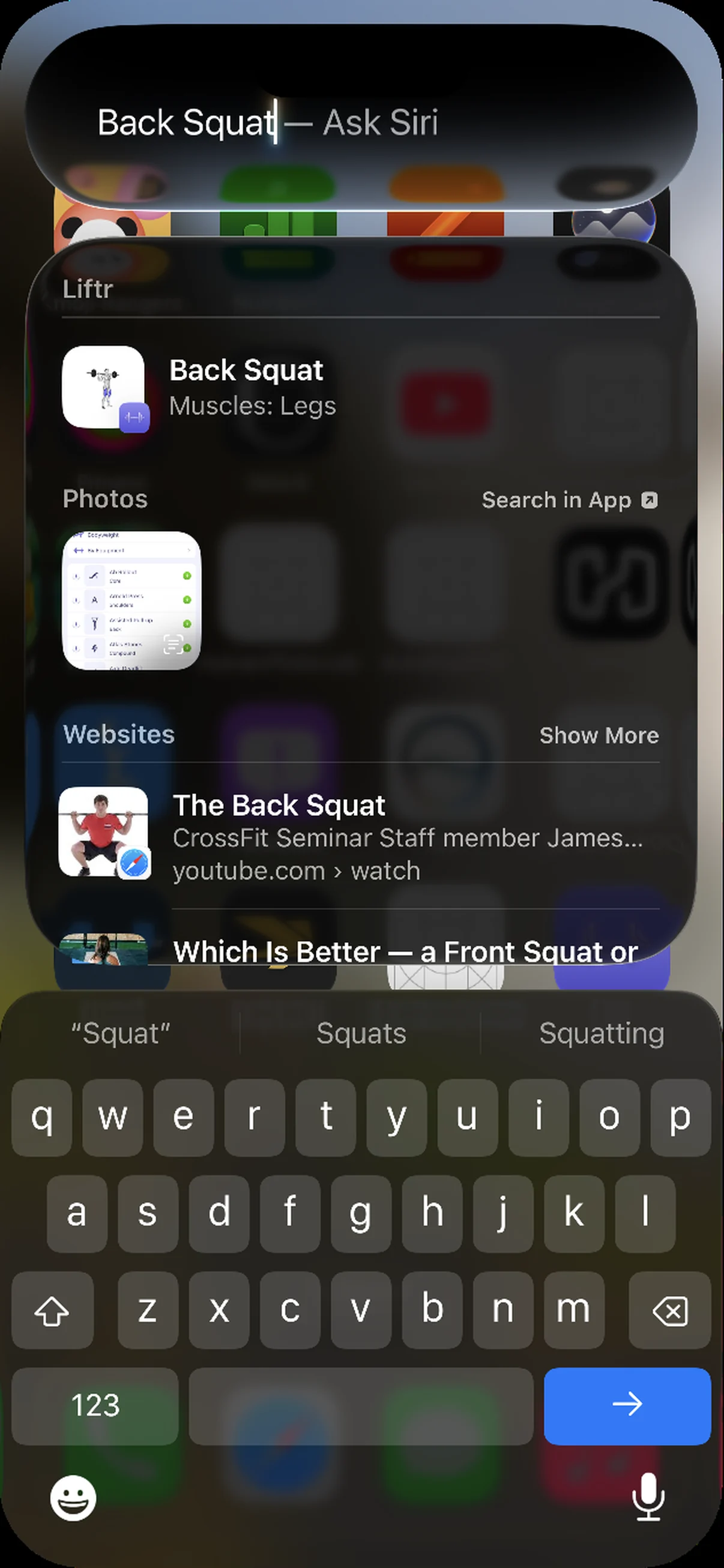
  • Spotlight search for Back Squat on iPhone, with Liftr's Back Squat exercise, muscles: legs, at the top

    Find anything by searching. Liftr supports Spotlight search for exercises, workout routines, and more.
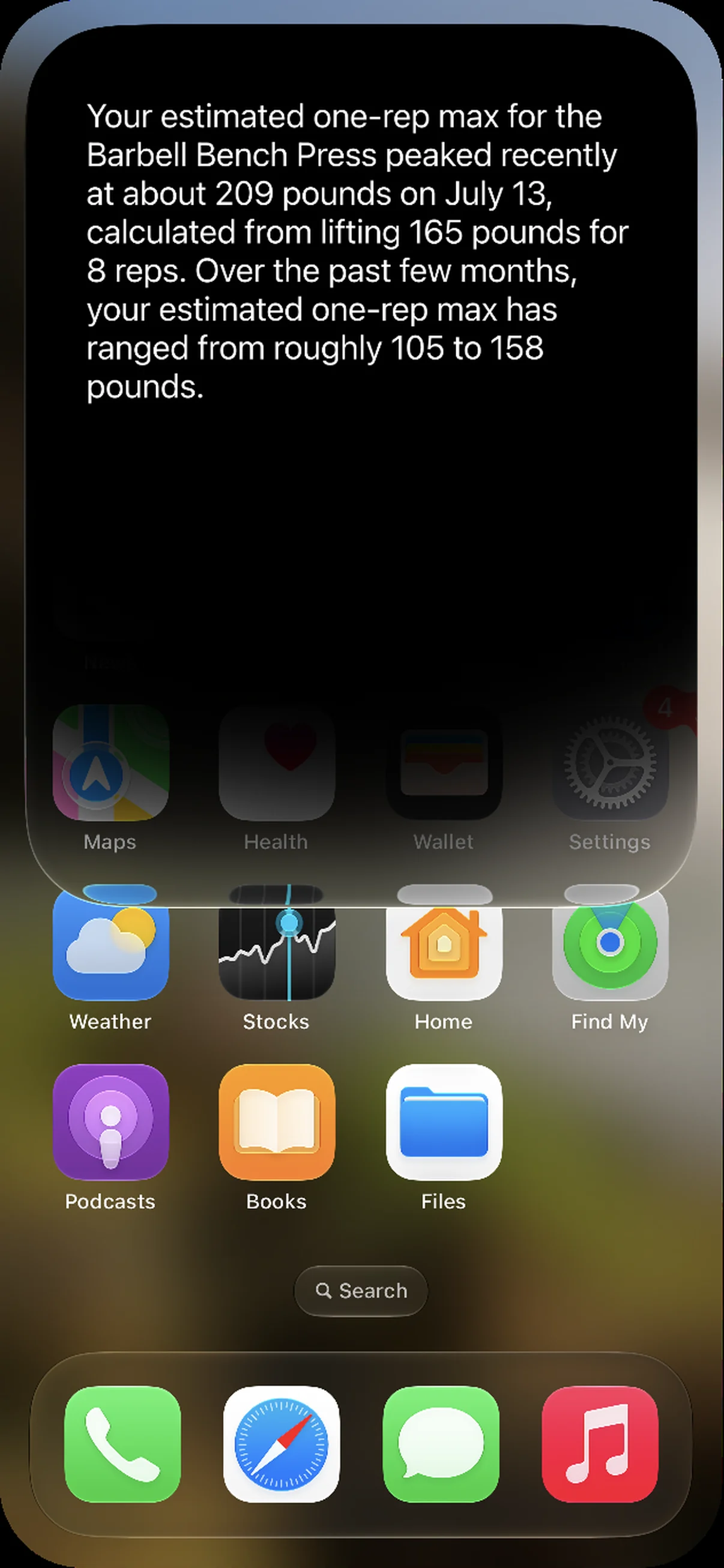
  • Siri answering a question about the Barbell Bench Press: an estimated one-rep max of about 209 pounds on July 13, from 165 pounds for 8 reps

    Siri AI. Start a workout, or ask questions using Siri.
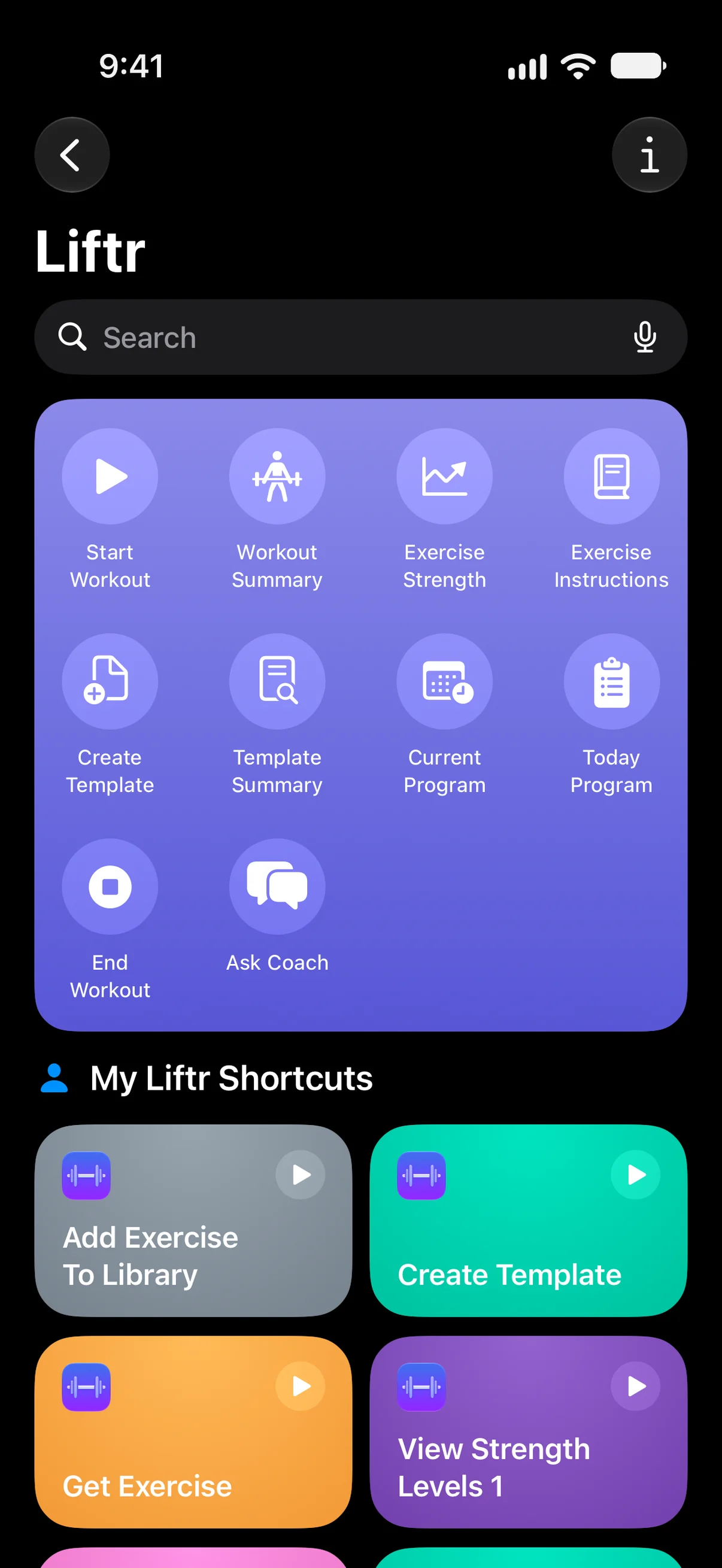
  • Liftr in the Shortcuts app: Start Workout, Workout Summary, Exercise Strength, Exercise Instructions, Create Template, Template Summary, Current Program, Today Program, End Workout and Ask Coach

    Shortcuts. Automate actions and quickly access them from Control Centre, or using the Action button.

Featured
by Apple

Join thousands of lifters.

  • “I downloaded ten different apps today and they were all annoying and difficult to use. I downloaded this one finally and it is so easy to use!”
    App Store review
  • “Overall I love the app and it's features for tracking progress. I'm a member of the Ohio State University Powerlifting team and I use the app with every single workout.”
    Ohio State University Powerlifting team member
  • “This is by far the best app I've used to track my workouts - it's clean, it's colourful, it's honestly the best one I've come across.”
    App Store review
  • “An amazing app for tracking for progression and improvement over time. Very well made and easy to use. Highly recommend.”
    App Store review
  • “This app deserves more recognition. It's simple to use. I can't recommend this app enough.”
    App Store review
  • “Great for recording your weights and can easily load the last weights you did for a given exercise, helps you know whether to stick or increase.”
    App Store review

Frequently Asked Questions

Can I use Liftr for free?

Yes. Liftr is free to download and use for workout logging. Liftr Pro unlocks Liftr Coach, the full set of programs, charts, Apple Watch tracking and other advanced features. Pricing is shown in the app before you subscribe.

Do I need an Apple Watch?

No. Liftr works on iPhone by itself. Apple Watch lets you track your workouts with just a tap from your wrist, including heart rate, active calories and duration.

Can I bring my old workouts?

Yes. With Liftr Pro, you can import workout history exported from Hevy or Strong, so Coach and your log can pick up where you left off.

Can I export my data?

Yes. You can export all or a subset of your workouts to a CSV file that is usable anywhere else. The export does not include sensitive personal health data such as body weight.

Meet your new favourite workout coach

Download on the App Store
  • Home
  • Tools
  • Compare
  • Press Kit
  • Download
  • Privacy Policy
  • Terms of Use
  • Twitter
  • Contact

Copyright © 2026 KPMB Studio. All rights reserved. Apple, iPhone, iPad, Apple Watch and App Store are trademarks of Apple Inc.