
Press Kit
Download the Liftr Press Kit at the link below. In the kit you’ll find the following assets:
Full quality App Store screenshots
Banners and Hero Images
App Icons
Full sized app screens / views
What is Liftr?
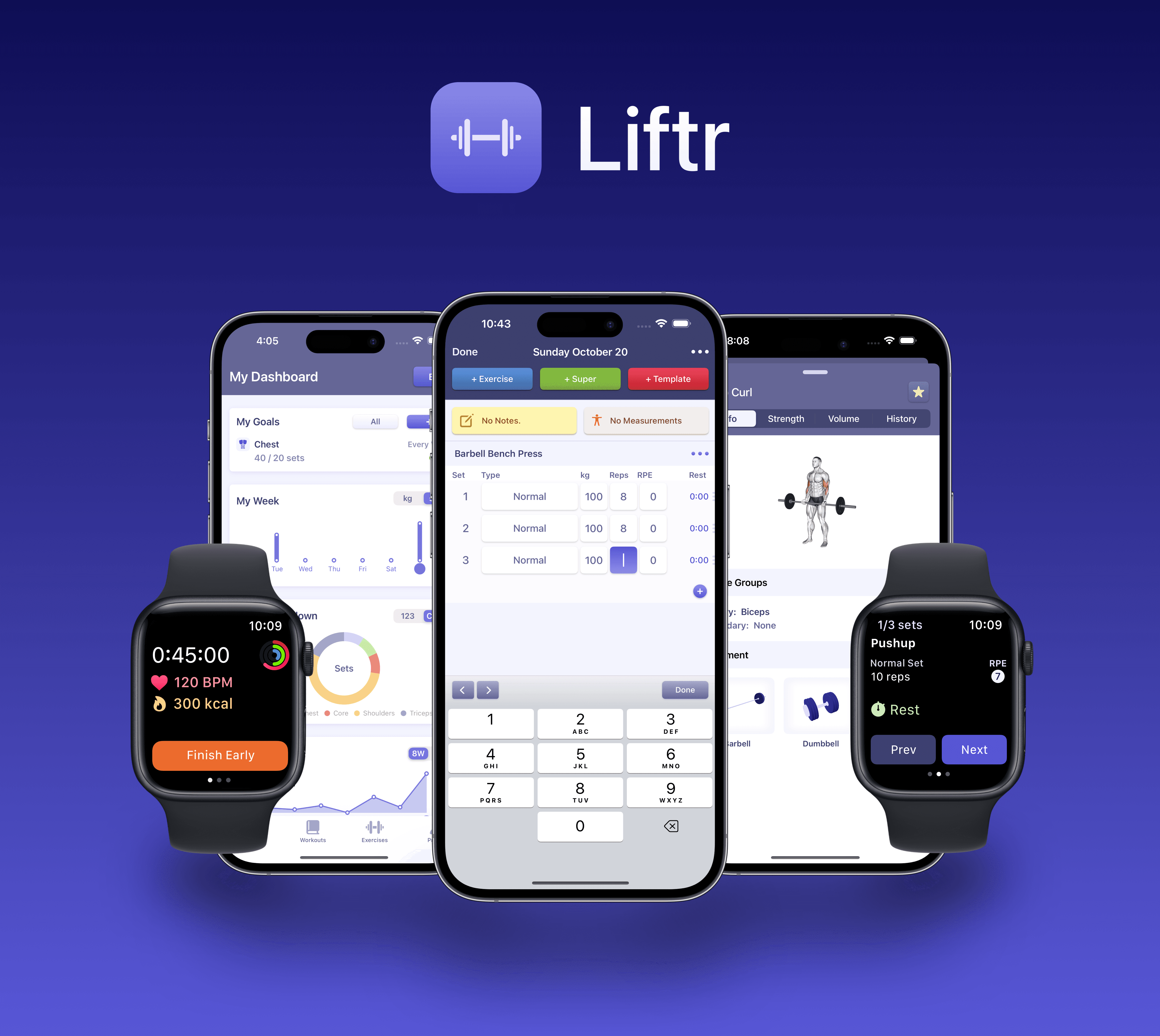
Liftr is an intuitive and powerful workout tracker to help anyone build strength and muscle. Liftr lets you manage workouts and track them from your wrist, and includes a gorgeous, easy to use interface that is approachable by newcomers and gym veterans alike.
Who is Liftr for?
Liftr is a great workout app for anyone who wants to build strength or muscle, or become more fit. It’s useful for those new to the gym or athletes who already know what they are doing.
The app is intuitive to use, but includes powerful features that professional athletes will find useful, including the ability to track custom data points through graphs and create customizable and re-usable templates.
Liftr Features
Liftr is packed with great features to help users reach their fitness goals:
Exercises and Equipment
Add from a database of 400+ exercises with stunning 3D animations and photos, or add your own custom exercises
Step by step instructions for 400+ exercises
Search for exercises by name, muscle group, or equipment
Liftr includes a library of over 40+ different pieces of equipment to filter exercises by
Easily view exercise records (PRs) and progress through graphs, and when browsing workouts
Workouts and Journal
A refined journal and editing for adding sets, supersets, and time based exercises.
Specify warmups, normal sets, and more advanced types like Myo-Reps!
Rest timer
Add workout notes
Browse all of your past workouts in a list view or through a beautiful calendar view
Track duration based exercises with duration timers
Track exertion such as RIR (reps in reserve) or RPE (rate of perceived exertion)
Templates
Create re-usable workout templates to quickly start workouts
Dashboard and Graphs
Liftr includes a few default charts to track your progress easily
Create custom charts to track progress for exercises, muscle groups, and health metrics over time
Create custom goals (e.g. 15 sets of chest per week) and add them to your home screen!
Account and Preferences
Choose preferences for weight unit of measurement and exertion method
Customize the appearance of the app, including the app icon
Easy data deletion in just a few steps
Export your workout data to a spreadsheet in just a few taps
Apple Watch
Apple Health workouts with live heart rate and calorie tracking
Start a workout using the iPhone journal or a pre-existing template
Ability to edit exercise weights, reps, and more right from your wrist
Rest and exercise duration timers
Syncs data back to iPhone app
Liftr AI Features
On device Apple Intelligence powered health insights by looking at your activity, workouts, heart data, nutrition, sleep, and more
Get specific insights for each exercise you perform, by analyzing your workout history and looking at your consistency, volume, and strength over time
Generate personalized workout routines based on your target muscle groups, experience level, and preferred equipment
iOS Features
Live activities
Apple Health Integration to view health metrics in your journal, including workouts, body measurements, & more
iCloud data syncing and backup without needing to create an account
Multiple home screen widgets to show your goals, view your week, and more
iOS 18 dark mode and tinting support for all app icons and widgets
Siri and App Intents: Liftr supports Shortcut actions such as finding out your 1RM for any exercise, reminding you when your last workout was, or performing an action like creating a new workout template from outside of the app
Snippets: Powered by App Intents, pull up instructions or strength stats for any exercise
Pricing
Liftr is available as a free download.
Liftr Pro is available with advanced features for just $3.99/month, $23.99/year, or $39.99 for a lifetime membership (in USD). A membership includes the following features:
Apple Watch workout tracking
Over 400+ stunning 3D exercise demos (animations & photos) and instructions
Liftr AI features
Unlimited workout templates that are customizable and re-usable
A fully customizable dashboard and charts to visualize the most important data
Body measurement tracking
Unlimited & customizable data export
Why was the app created?
I struggled with being overweight and unhealthy for most of my childhood & life. During university, I decided to make a change; I began falling in love with strength training and went on a mission to improve my health. At the same time, I also developed a passion for design, and building something. I decided to use Apple’s (at the time) recently announced programming language, Swift, to build my first product that stood at the intersection of my passion and my personal goals… and that’s how Liftr came to be!
After launching the app, and seeing it resonate with users (whether it be a positive review or a personal email to my inbox) I realized that I had created something that could be useful for not just myself, but many others as well. So I decided to keep building upon the first version of the product… and will continue to do so as long as my users still find value in Liftr!
- Karan
Links
Website and Press Kit: You’re already here!
App Store: https://apps.apple.com/us/app/liftr-workout-tracker/id1277240548
Privacy Policy: https://kpmb.studio/privacy-policy-for-liftr-ios-app
Support: kpmbstudio@gmail.com
Twitter: https://x.com/liftr_app